
If feature branch is based on the develop branch, and develop was squashed-merged into the main branch, then the feature branch will have conflicts when trying to rebase onto main.
Or in other or simpler words are you looking for something like: “git rebase duplicate commits after squash merge”, “how to rebase when develop is squash merged”, or “git rebase 3 arguments explained”?
In this case, you can simply use the git rebase --onto command to rebase the feature branch directly onto main, bypassing the develop branch and avoiding conflicts.
The issue or conflict you are experiencing due to your branch having the individual commits from develop, while the main branch has a single squashed commit. Git sees the individual commits as new changes that conflict with the squashed commit in main.
The Command
Just do the following steps:
- checkout
main, pull the latest changes. - Execute the command:
git rebase --onto main develop feature
- Resolve conflicts if any.
- Checkout
featurebranch. - git push –force-with-lease`.
And yeah, thats pretty much it.
Please Note that, I wont be going into the details of conflict resolutions or why push with force is needed. I am assuming you are already familiar with those concepts.
The Visualisation
Let me give you a visualisation of the situation:
The Setup - Main -> Develop -> Feature
You have stacked branches, where feature branch is based on develop, and develop is based on main. All the branches are having their own developments independently.
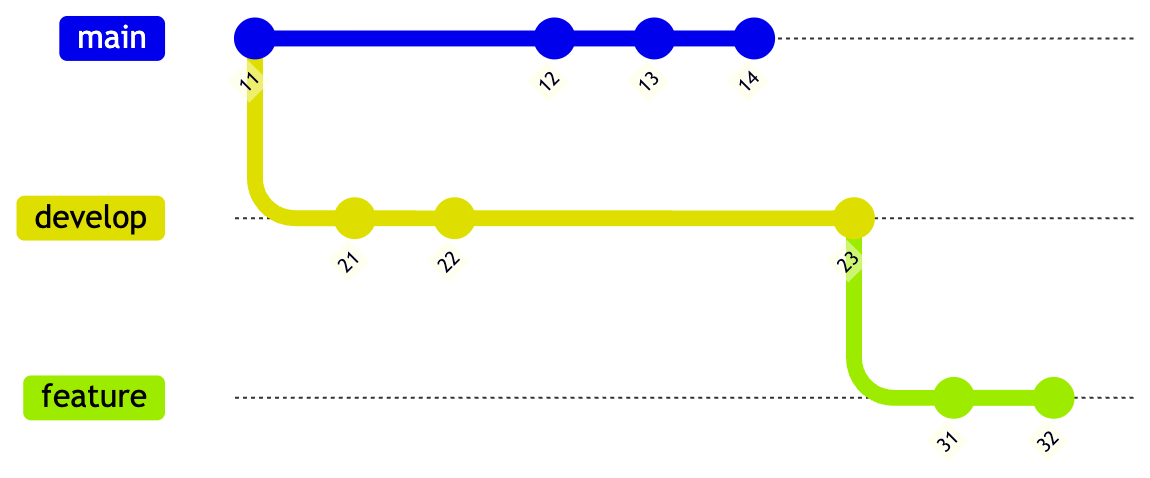
Stacked Branches Hierarchy
The Rush - Develop Squashed Merged in Main
You or your team for some reason merged the develop branch into main using a squash merge.
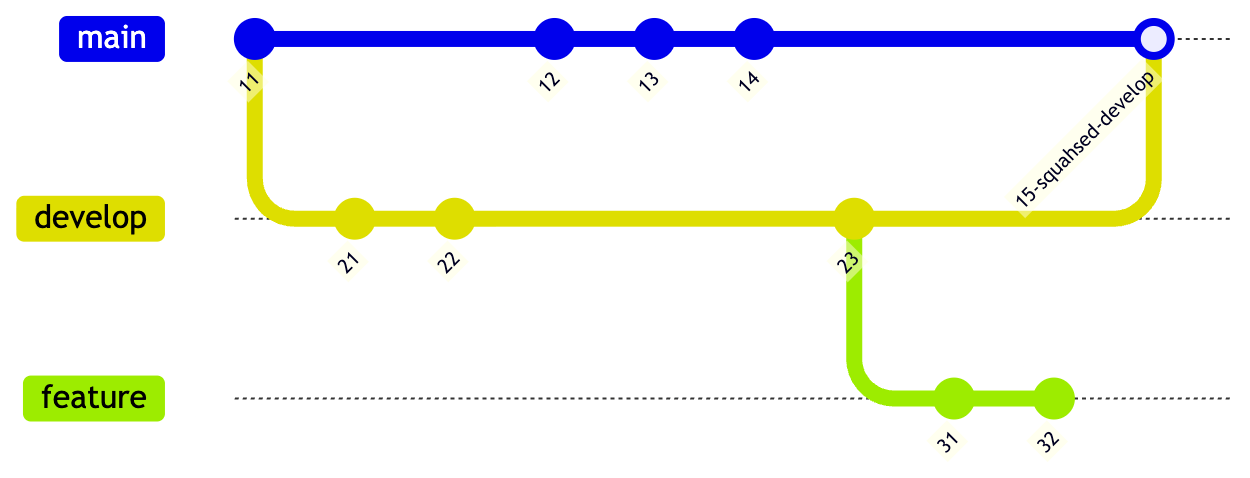
After Develop Squashed Merged into Main
Resolution via Git Rebase Onto Command for Feature Branch
Once we perform the git rebase --onto main develop feature command, the feature branch will be rebased directly onto main, bypassing the develop branch and avoiding conflicts.
The parent of feature branch will now be the main.
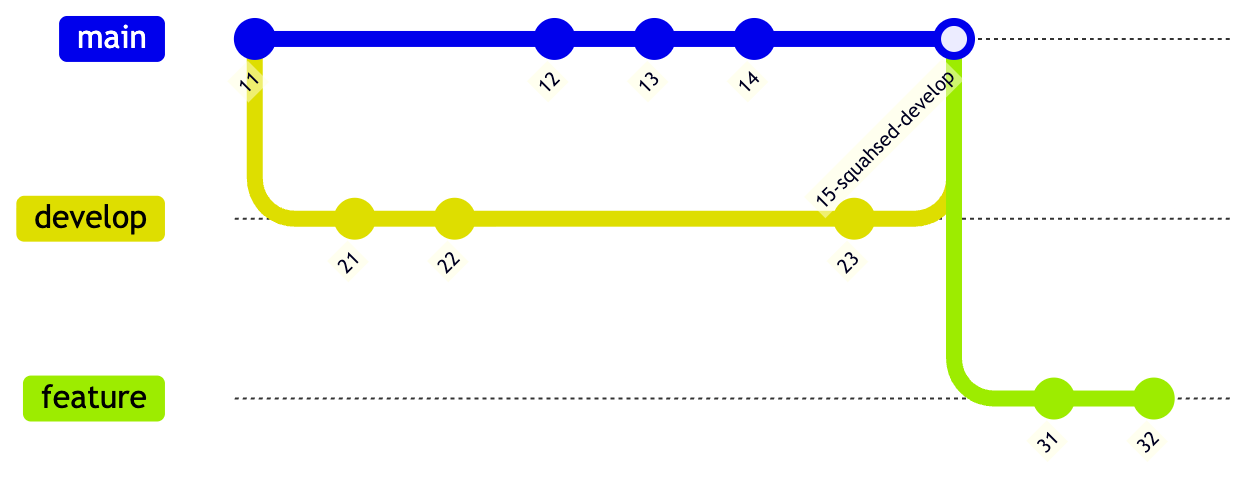
After Feature Git Rebase Onto Main
Conclusion
We saw the command for git rebase --onto. And the Visualisation of the situation before and after using the command.
Hope this will help you in your development.
I will be coming up with the more Git commands that I use in my daily development and are a MUST in this AI driven Software Development Era.
Hakuna Matata!